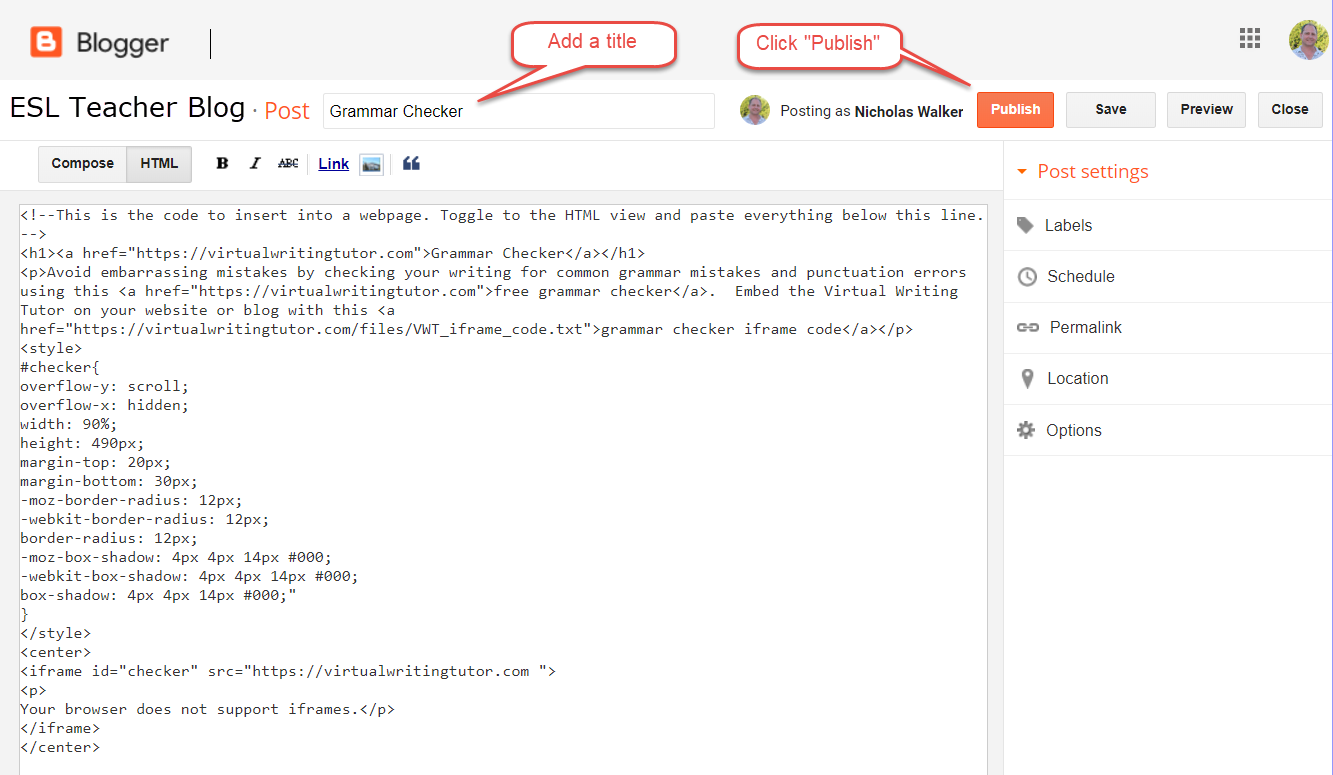
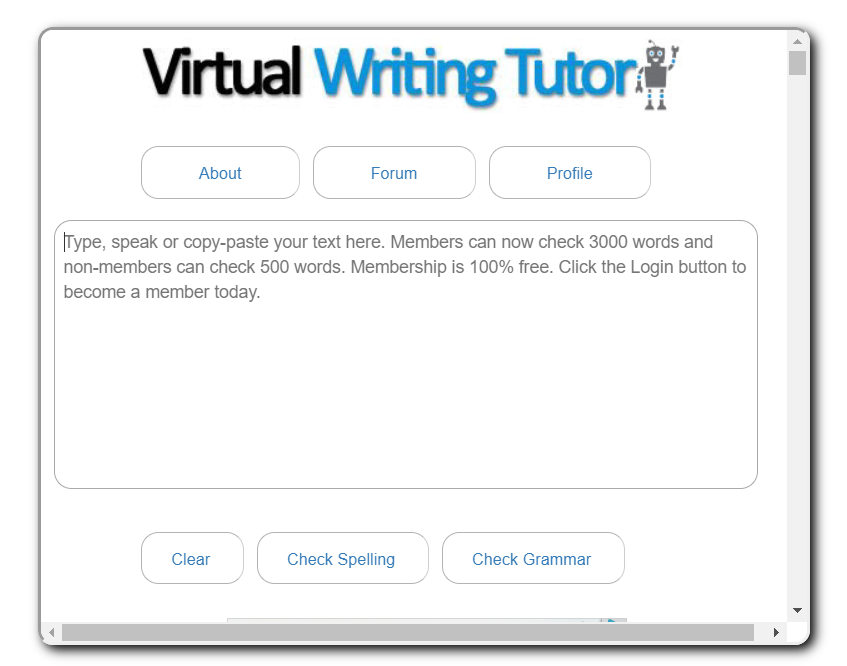
Hey Teachers, you are going to love this! Create your own English Second Language website and embed a free grammar checker into it in seconds. Here’s how:
Step 1: Create a blog
Create a blog on Blogger or some other blogging platform to communicate with your students.
Step 2: Create a blog post
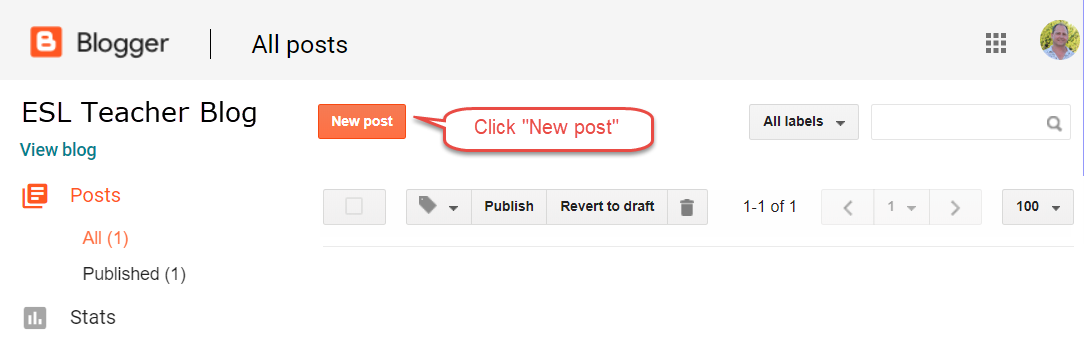
Click on “New post.”
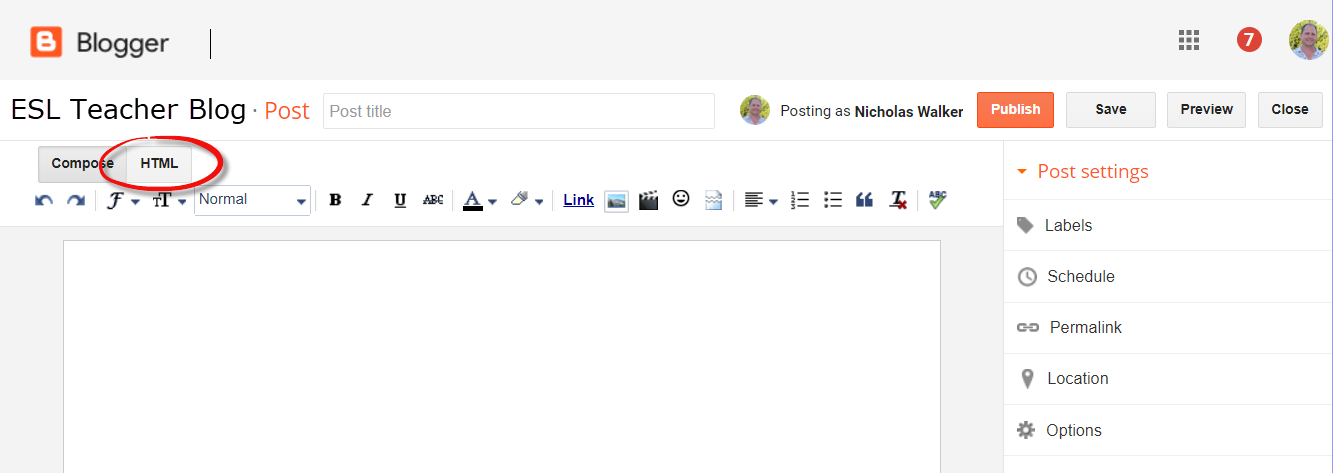
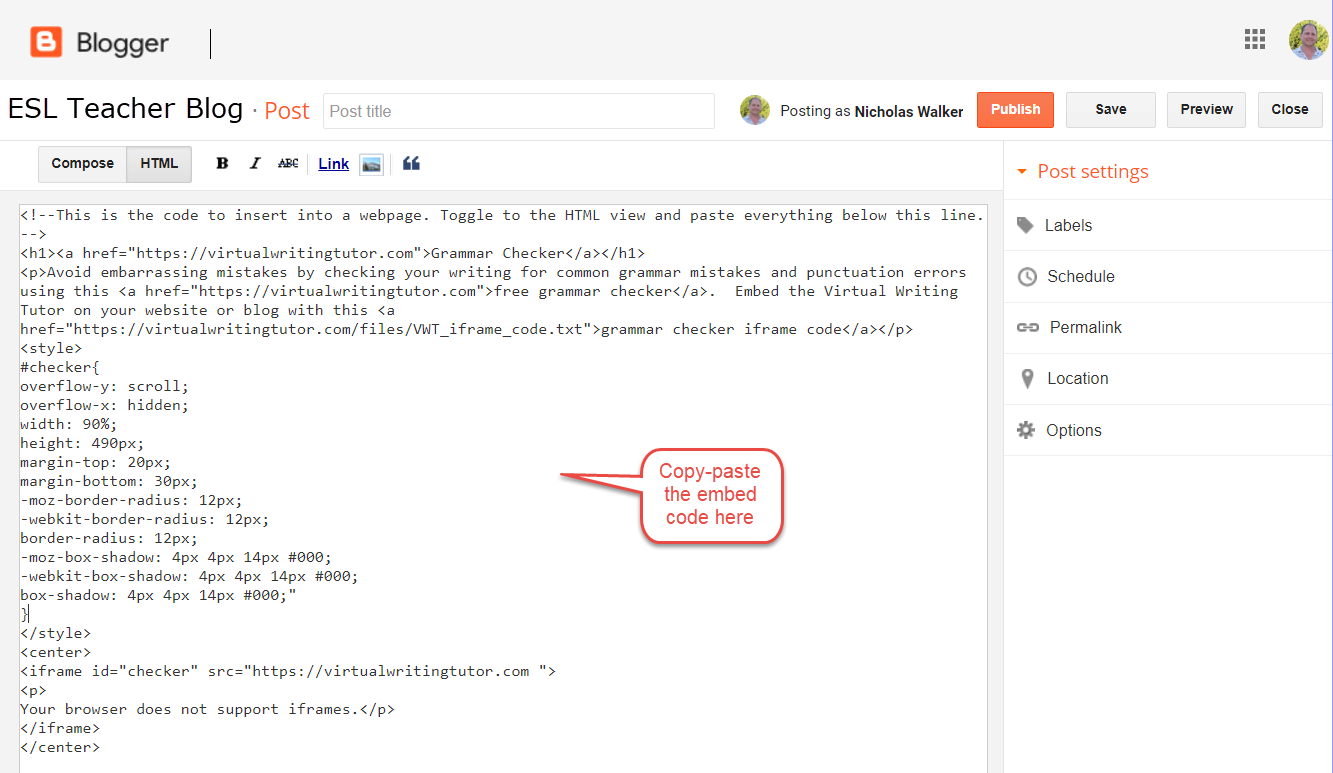
Step 3: Switch to HTML mode
You will need to switch to HTML mode to embed the iframe.
Step 3: Copy-paste this grammar checker embed code
Copy-paste the grammar checker iframe code below this line. The iframe is set to expand to 90% width of the page or frame you put it in.
<style>
#checker{
overflow-y: scroll;
overflow-x: hidden;
width: 90%;
height: 584px;
margin-top: 20px;
margin-bottom: 30px;
-moz-border-radius: 12px;
-webkit-border-radius: 12px;
border-radius: 12px;
-moz-box-shadow: 4px 4px 14px #000;
-webkit-box-shadow: 4px 4px 14px #000;
box-shadow: 4px 4px 14px #000;"
}
</style>
<center>
<iframe id="checker" src="https://virtualwritingtutor.com ">
<p>
Your browser does not support iframes.</p>
</iframe>
Step 4: Give your grammar checker a title and publish it
The most obvious title to use would be something like this: Check Grammar or Grammar Checker